
instructions
get started
How to Install Telemac IPTV on FireStick .
Telemac IPTV Player isn’t officially available from the Amazon App Store. Users will have to rely on sideloading to install the app on their devices.
I’ve separated the sideloading steps and the Telemac Player installation into three parts to make it easier to follow along. First, we’ll need to get the Downloader app on the FireStick. Then, we’ll make necessary changes in our Fire TV settings. Finally, we’ll be able to download Telemac IPTV Player APK with Downloader.
Go through all three parts below to get Telemac IPTV Player on FireStick.
Part 1: Change FireStick Settings
If you have installed and sideloaded apps on to your firestick before jump to Part 2.
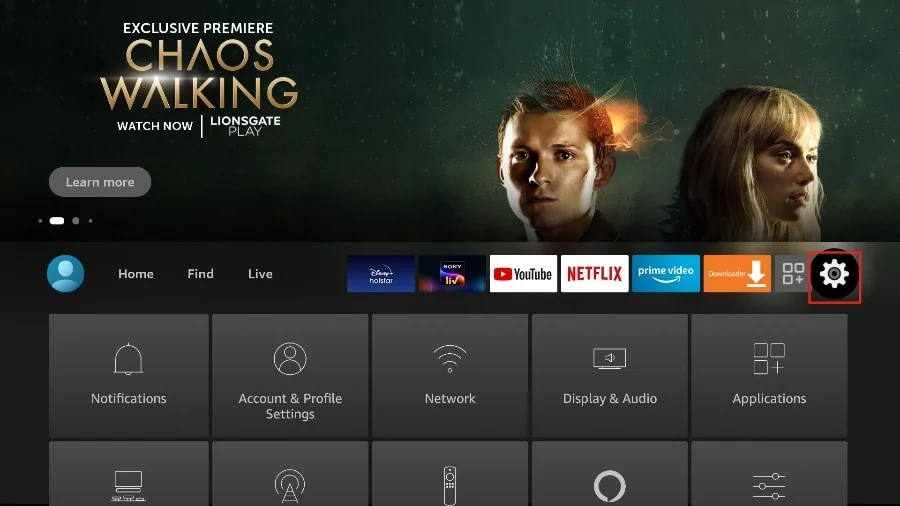
1. Press the home button on your FireStick remote.
2. Go to the settings gear on the far right
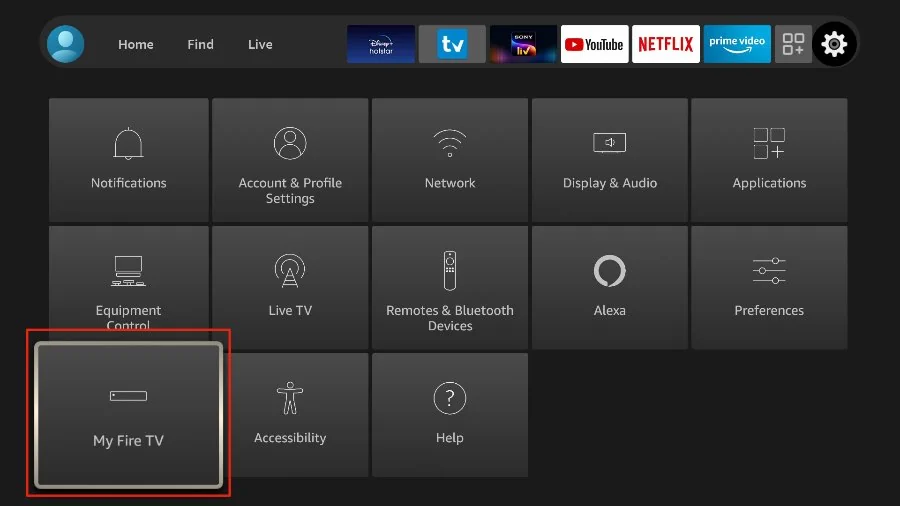
3. Scroll down and select My Fire TV.
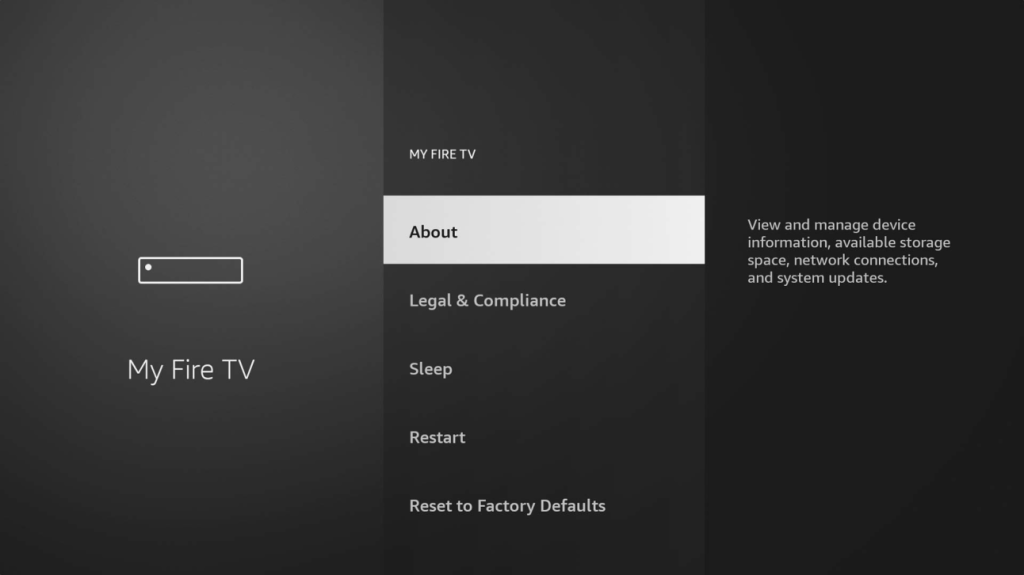
4. Choose Developer Options .
If you don’t see developer options click on About button and press the main inner circle button on your firestick remote 7 times to unlock the developer option selection.
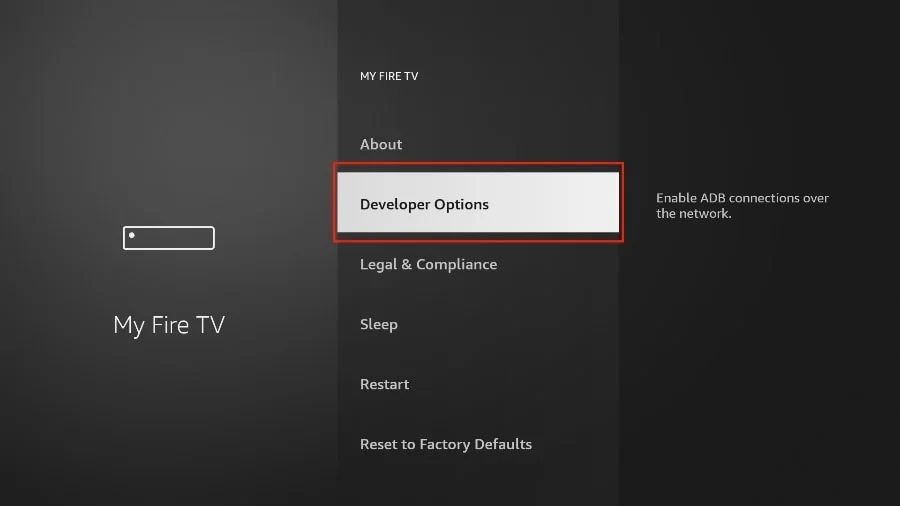
5. Now click developer options and select
Apps from Unknown Sources.
By default, it’s off. Select it to turn it ON.
Now you can comfortably sideload any app installation file (APK) on the FireStick without any issue. Follow the steps below to install Telemac IPTV Player APK on the FireStick using the Downloader app.
Part 2: Get Downloader on FireStick
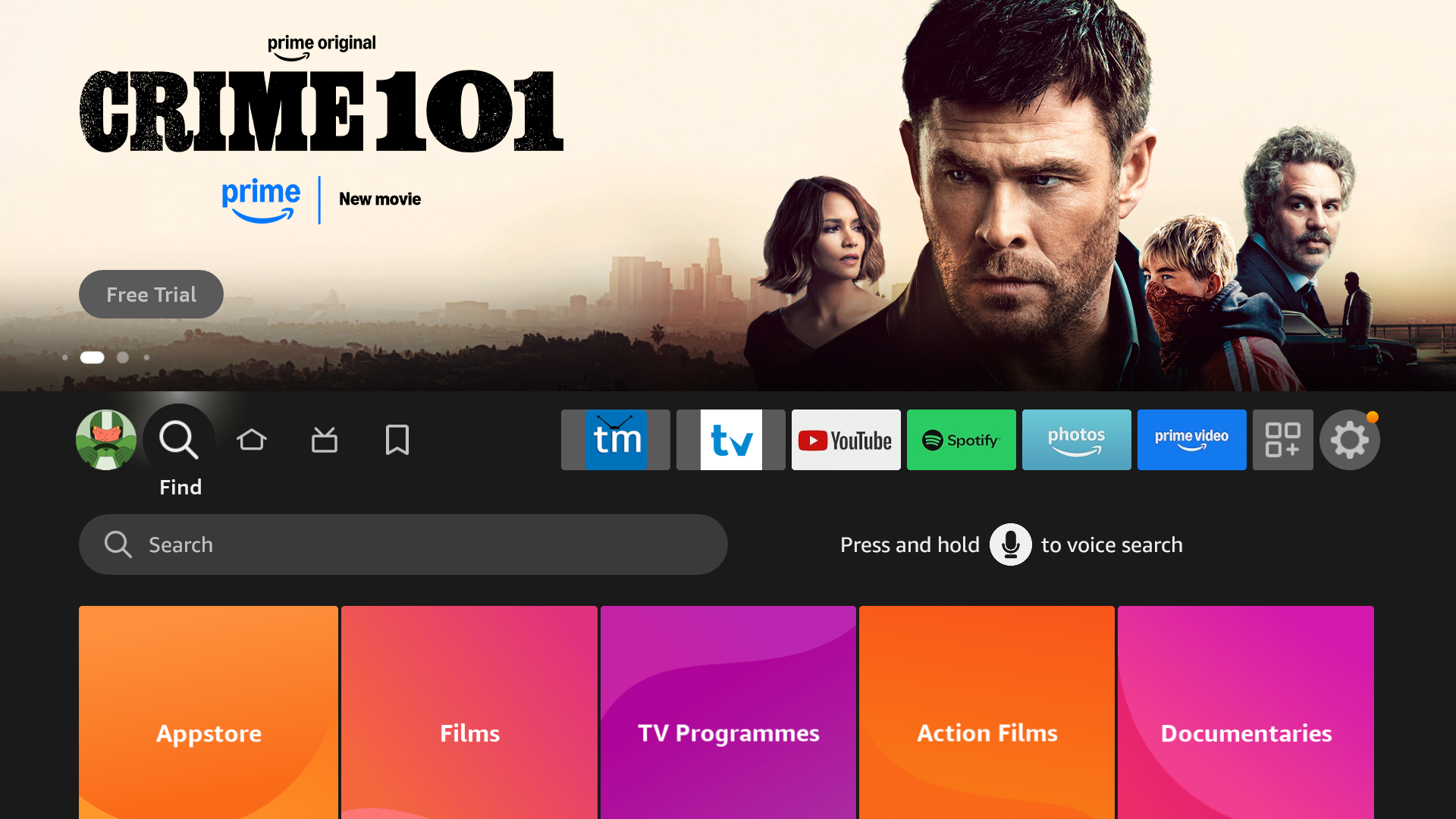
1. Open the FireStick home screen.
2. Go to the Find menu
3. Click on the pill shaped box with the text Search and magnifying glass.
4. This will open a virtual keyboard on your FireStick.
5. Start to type Downloader. Select Downloader when it shows up among the suggestions below the keyboard.
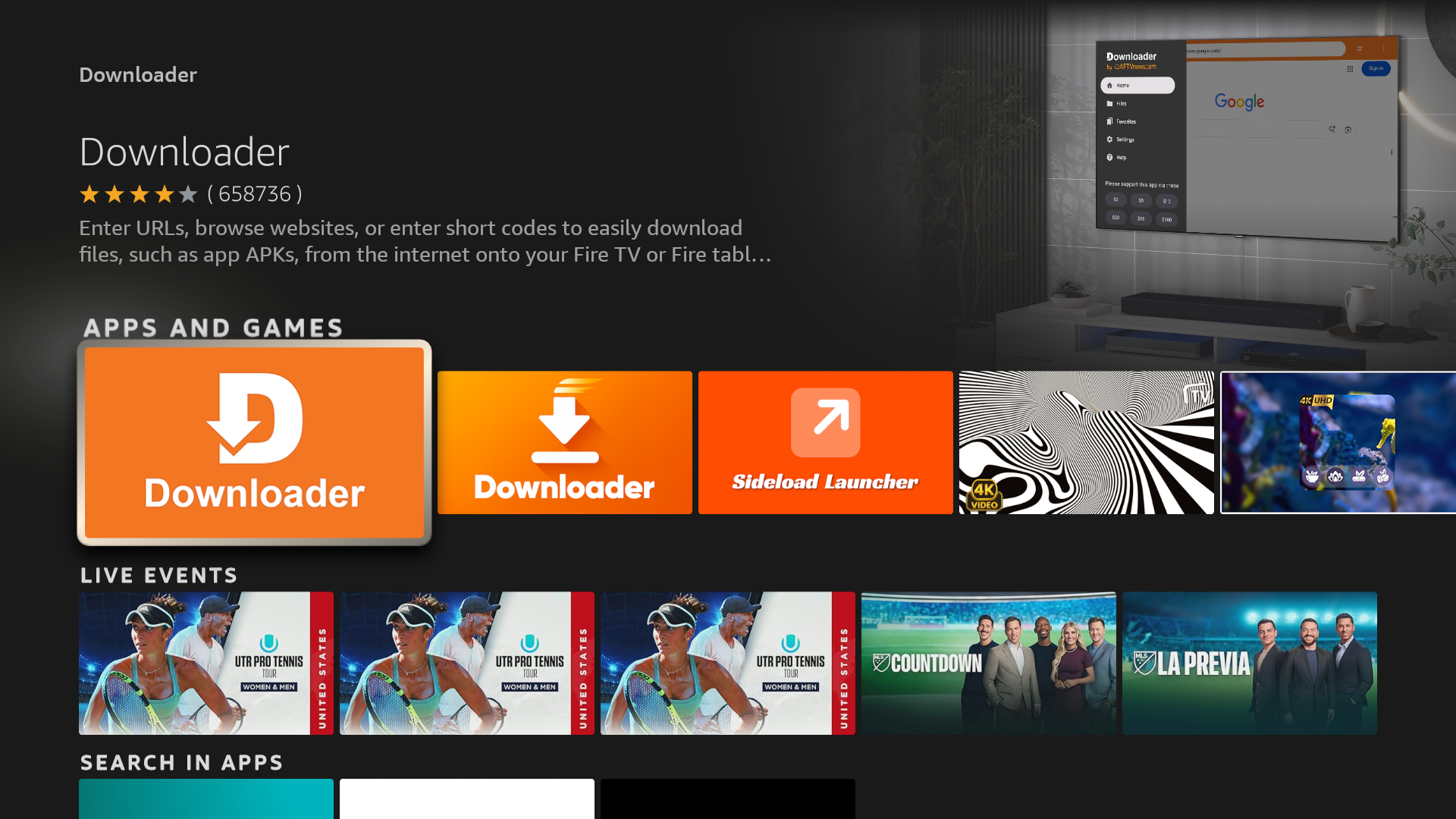
6. Select the Downloader app, which you can recognize by its orange background. Then, on the following screen, select the Get or Download button.
It will take a minute to install the Downloader app on your FireStick.
Once the Downloader app has been installed Open It.
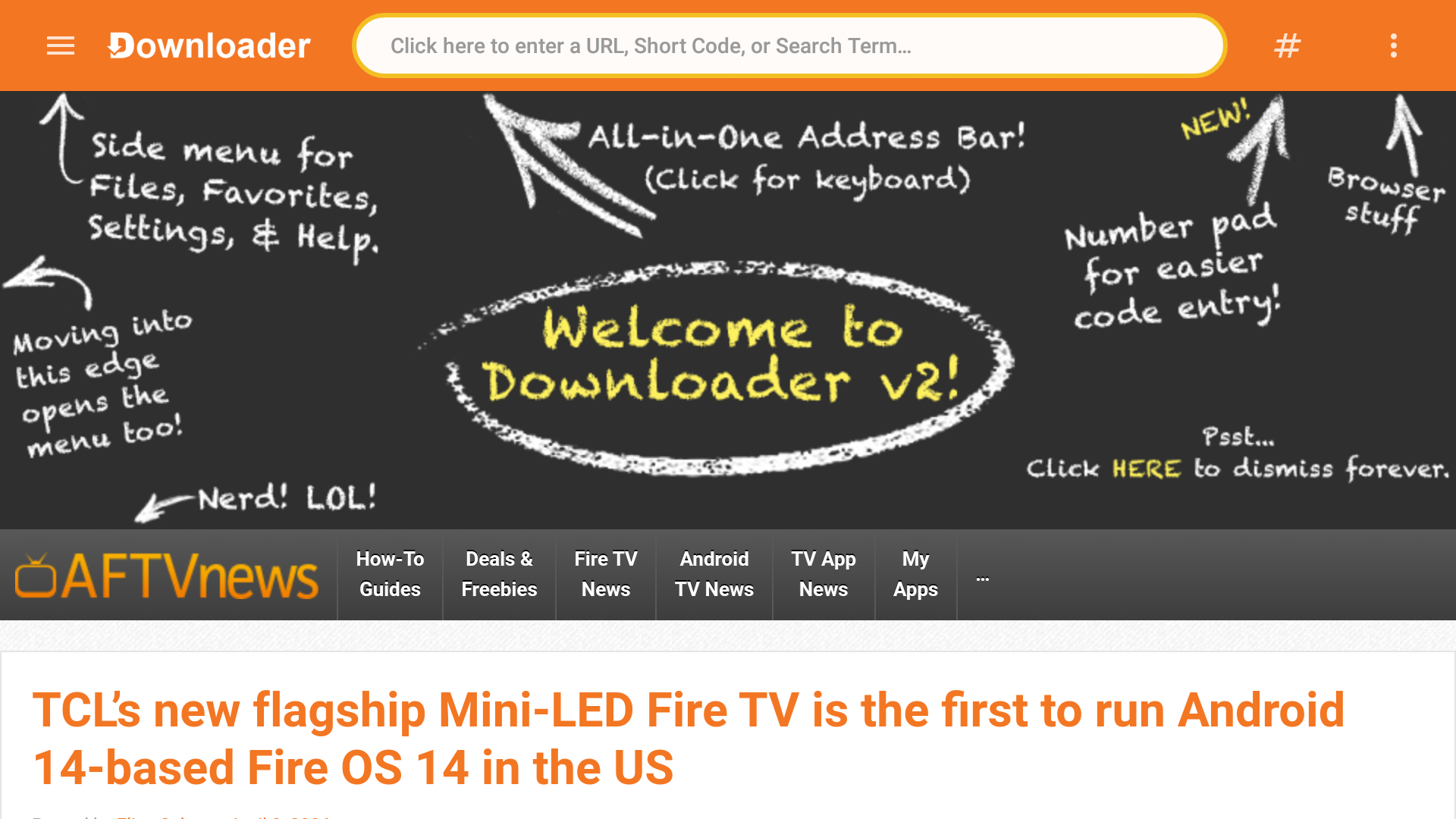
8. Once you open the downloader app type in the installation number 1900752 in the top navigation bar on the downloader page.
Next you will download the Telemac IPTV Player from our website.
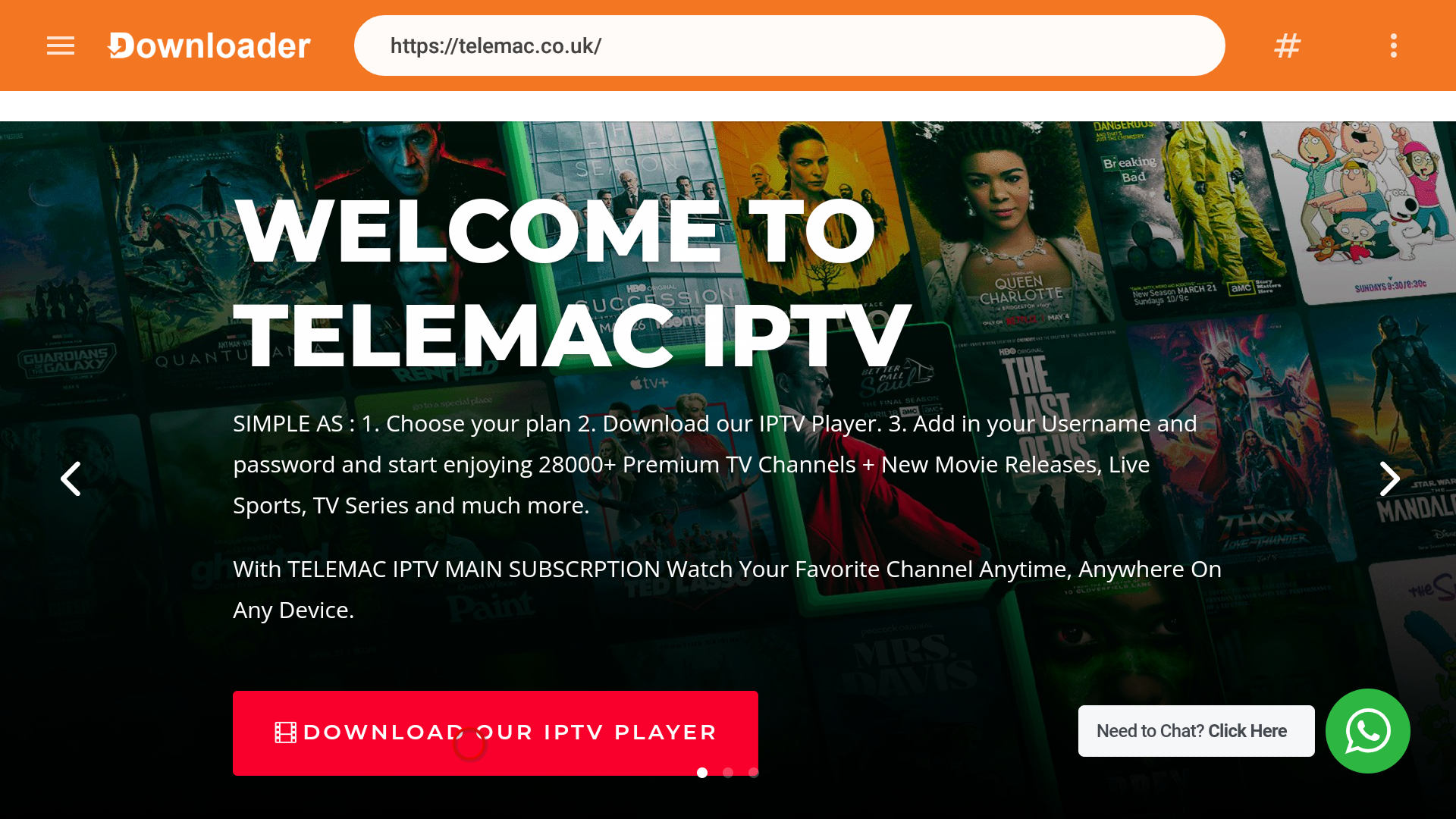
8. Wait for the page to be redirected then you will encounter the Telemac Web Page.
Click on the Download our IPTV Player button.
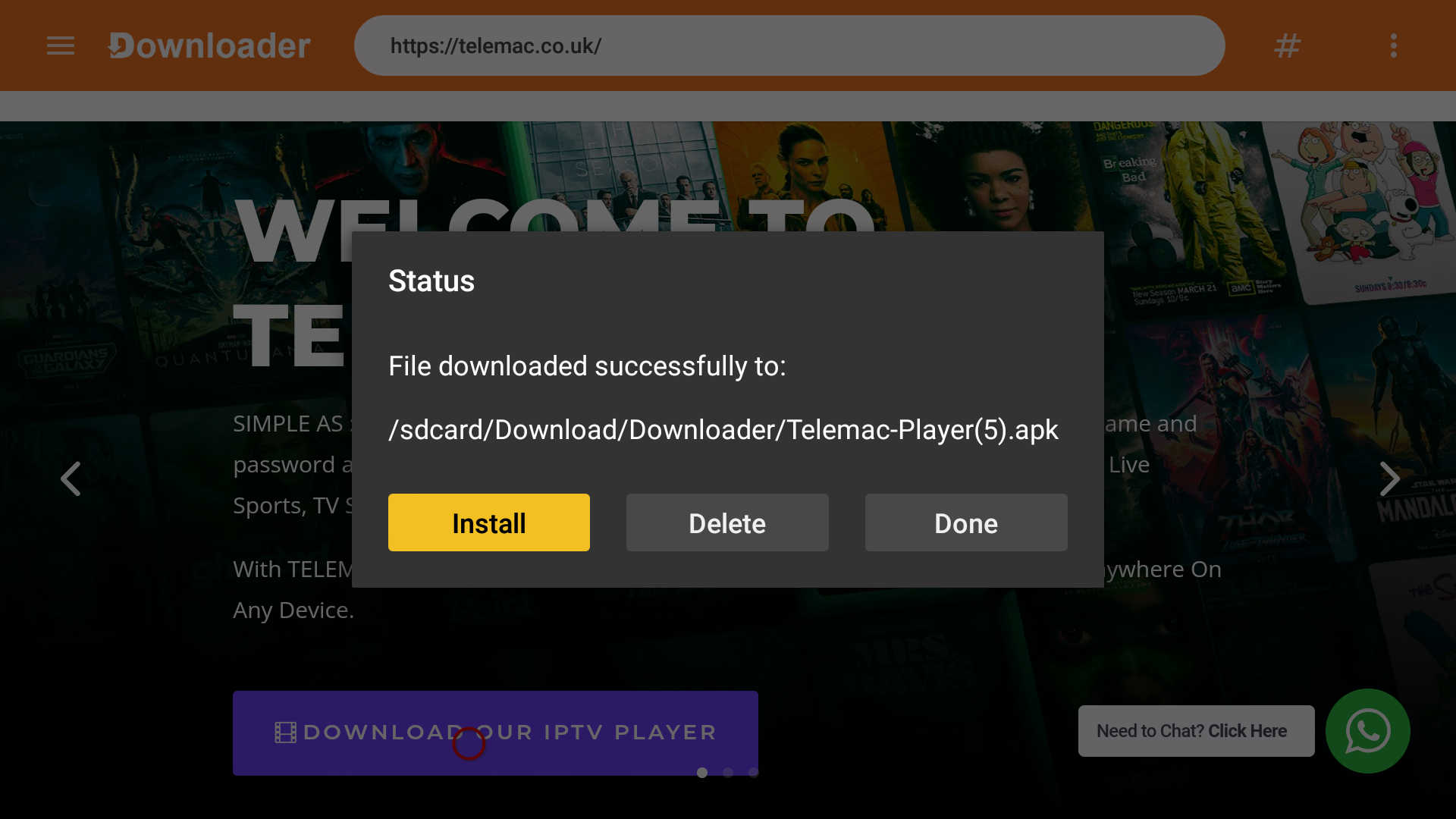
9. Downloader will install the latest Telemac IPTV Player APK onto your FireStick.
Click done and then when you see the Status Box Menu appear click on delete on both Status box menu’s that appear because the installation file is no longer required.
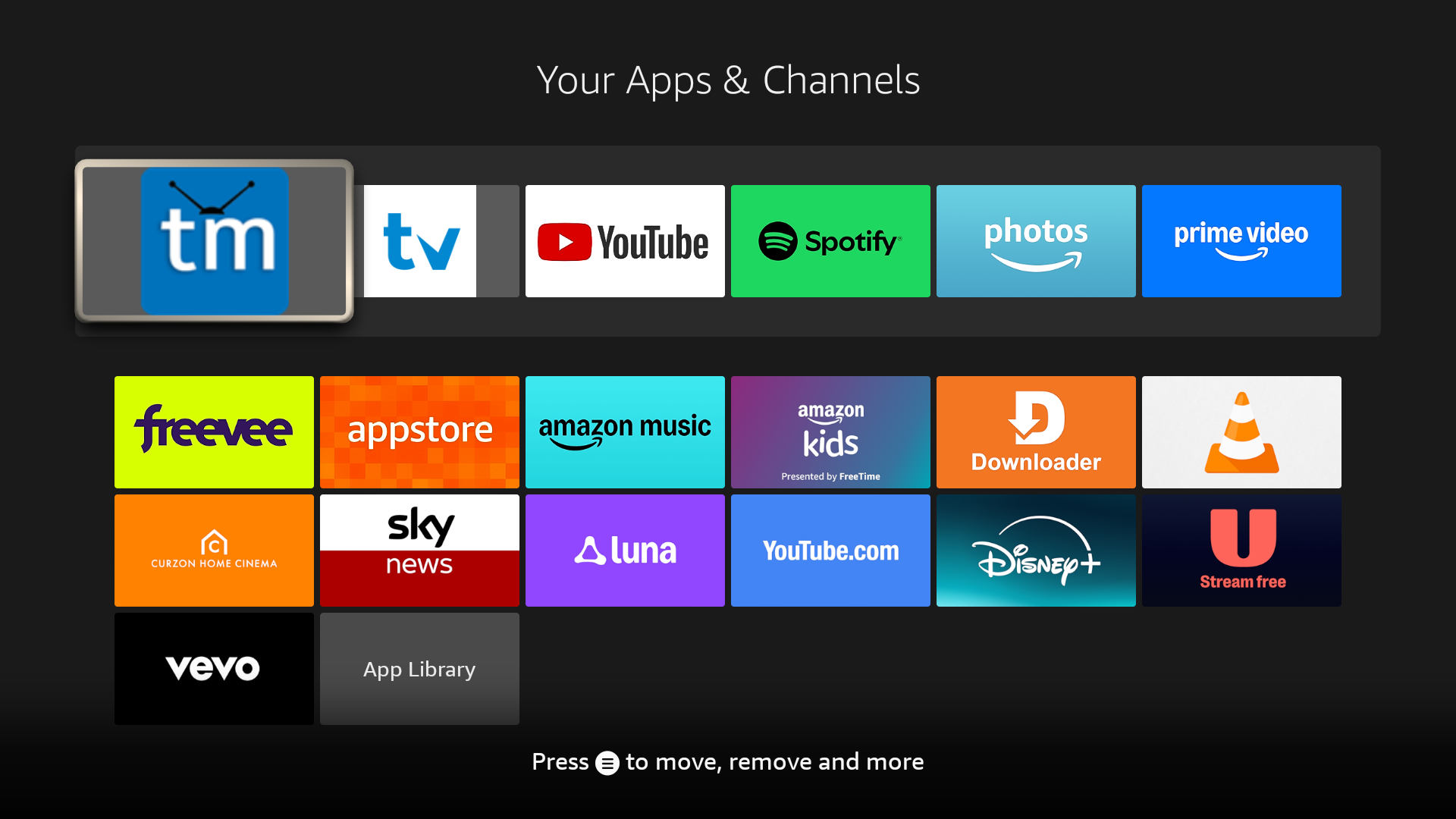
10. Click on your home button on your remote and go into Your Apps & Channels on your Firestick (that is the grey button to the left of the settings button on your firestick home page)
Once you have opened the Your Apps & Channels page click on the ” tm” icon and open the Telemac Player app.
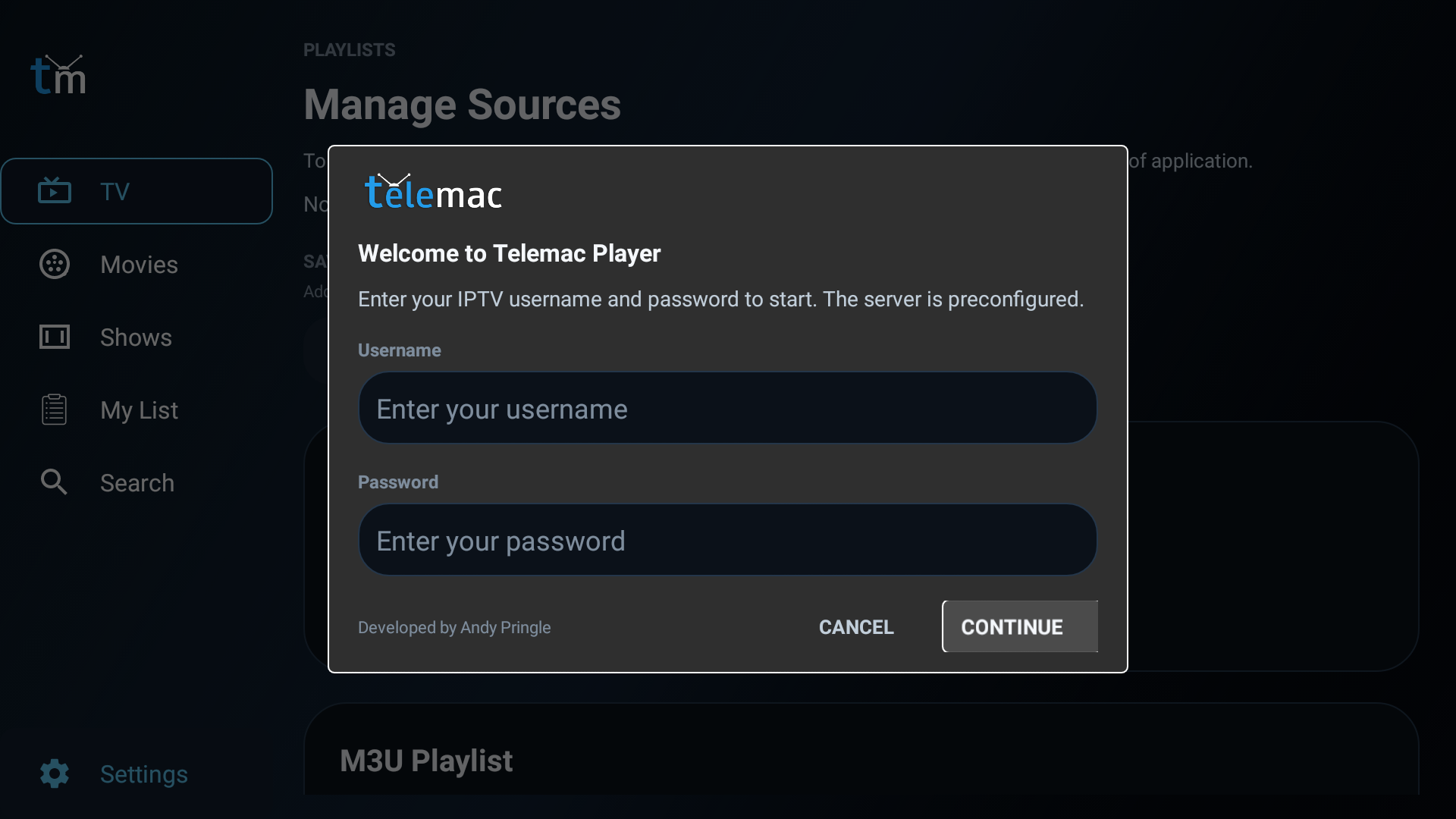
Part 3: Add your IPTV Details to Telemac IPTV Player on FireStick
1. Add in your Username and Password we sent you either by email or Whats App message and then press the continue button.
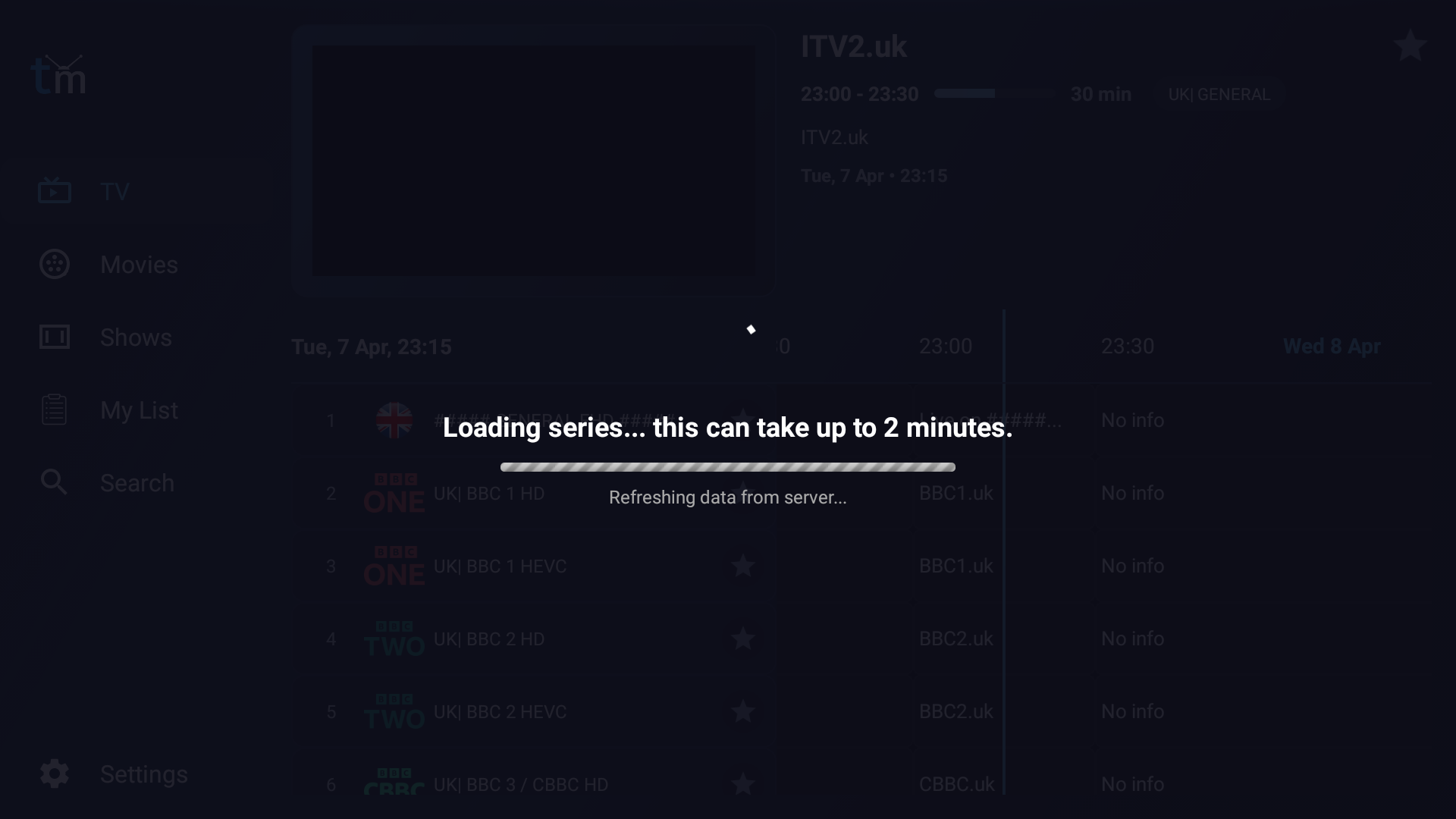
2. Wait until all your tv,movies and series has been updated.
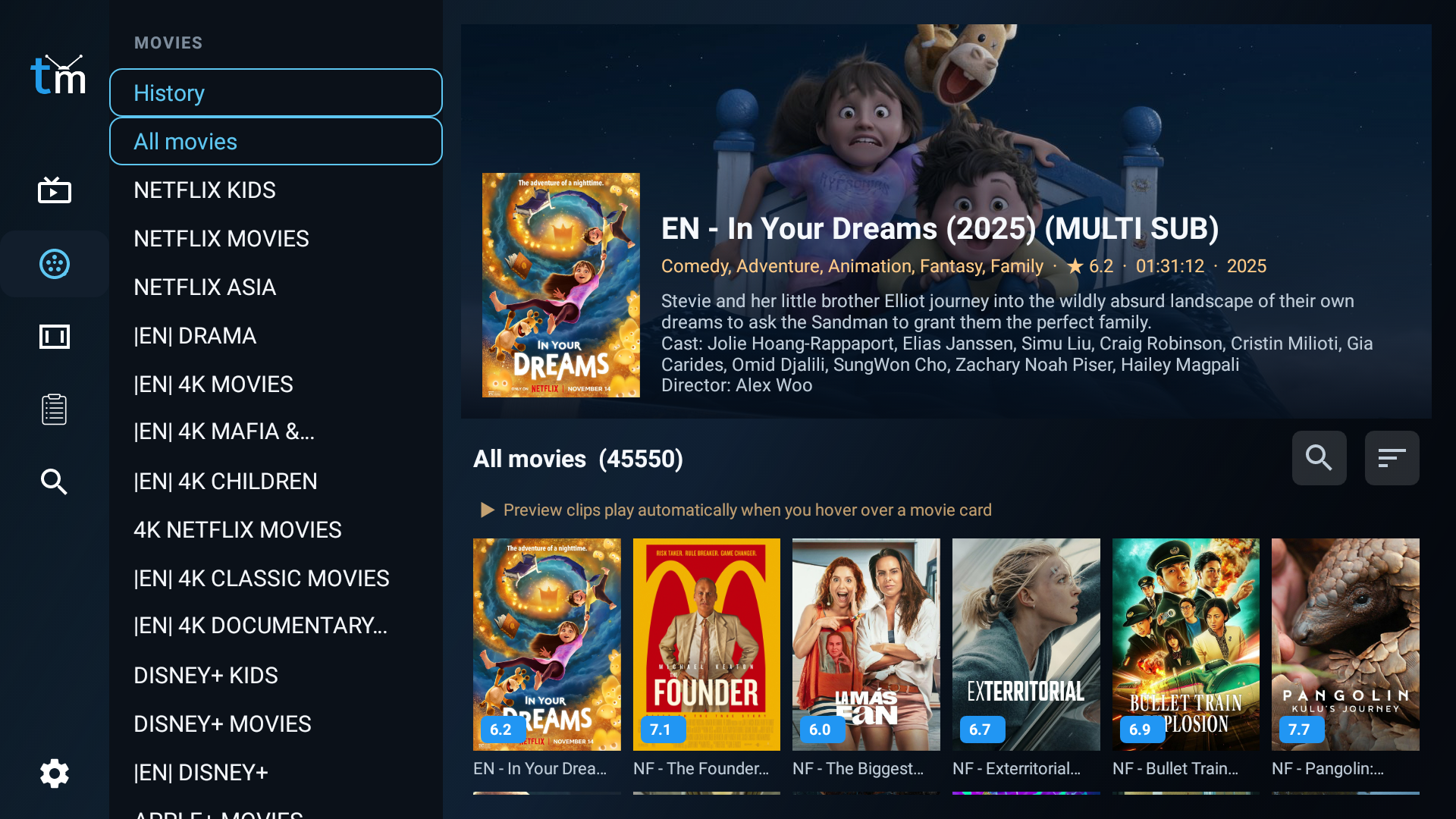
3. Ckick on Live TV to enjoy live TV.
4. Click on Movies to enjoy Movies
5. Click onTV Series to enjoy all TV Series
Easy as this
How to Get your IPTV Account ?

1. Place your order
Choose the subscription plan that is right for you and Place Order

2. Get your IPTV Account

3. Enjoy Watching
Telemac IPTV Movies
Experience Movies
Tv for all
Watch a vast array of TV channels from anywhere in the world with our IPTV service, including the UK, USA, Canada, Portugal, Albania, Germany, Italy, France, Brazil, Romania, Greece, Spain, Ireland, Australia, Arabic, and many more
Support All Devices
We’re Compatible.
Stream your favorite channels on a variety of devices including Smart TVs, Amazon Firestick, MAG, Chromecast, Apple TV, Playstation, Xbox, and more.
Subscription Plans
Choose Your Plan and Enjoy Live Channels, Sports Channels, VOD, Series, and More of Your Favorites We will send your IPTV Account Via email between 5 min and 1 hour.